
Create digital cards or passes with ease
Find out how Denge allows you to share, install and manage them in a simple and convenient way
How does the IDenge Dashboard work?

Create a visual aspect with the logo, the corporate colors of your company/organization, and the personalized and global information you want to appear on the card

Variable fields connect to the database you create in the user menu or link it to your system through our API or user table

Send a message when you arrive at a location or direct push messages with the text you want to
Design your cards in just 3 steps
Design the card with your colors, logo, image and the fields you want to appear
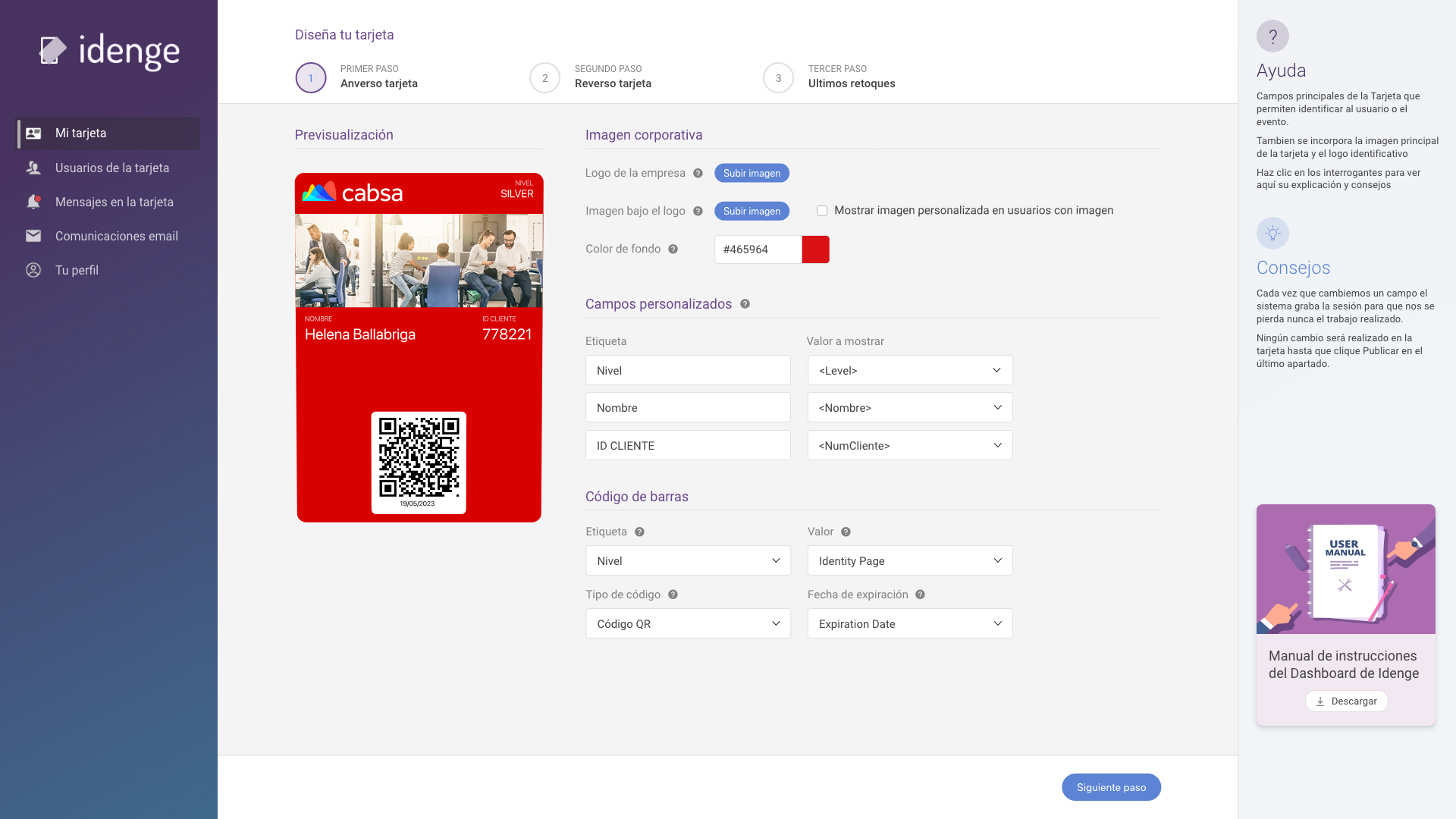
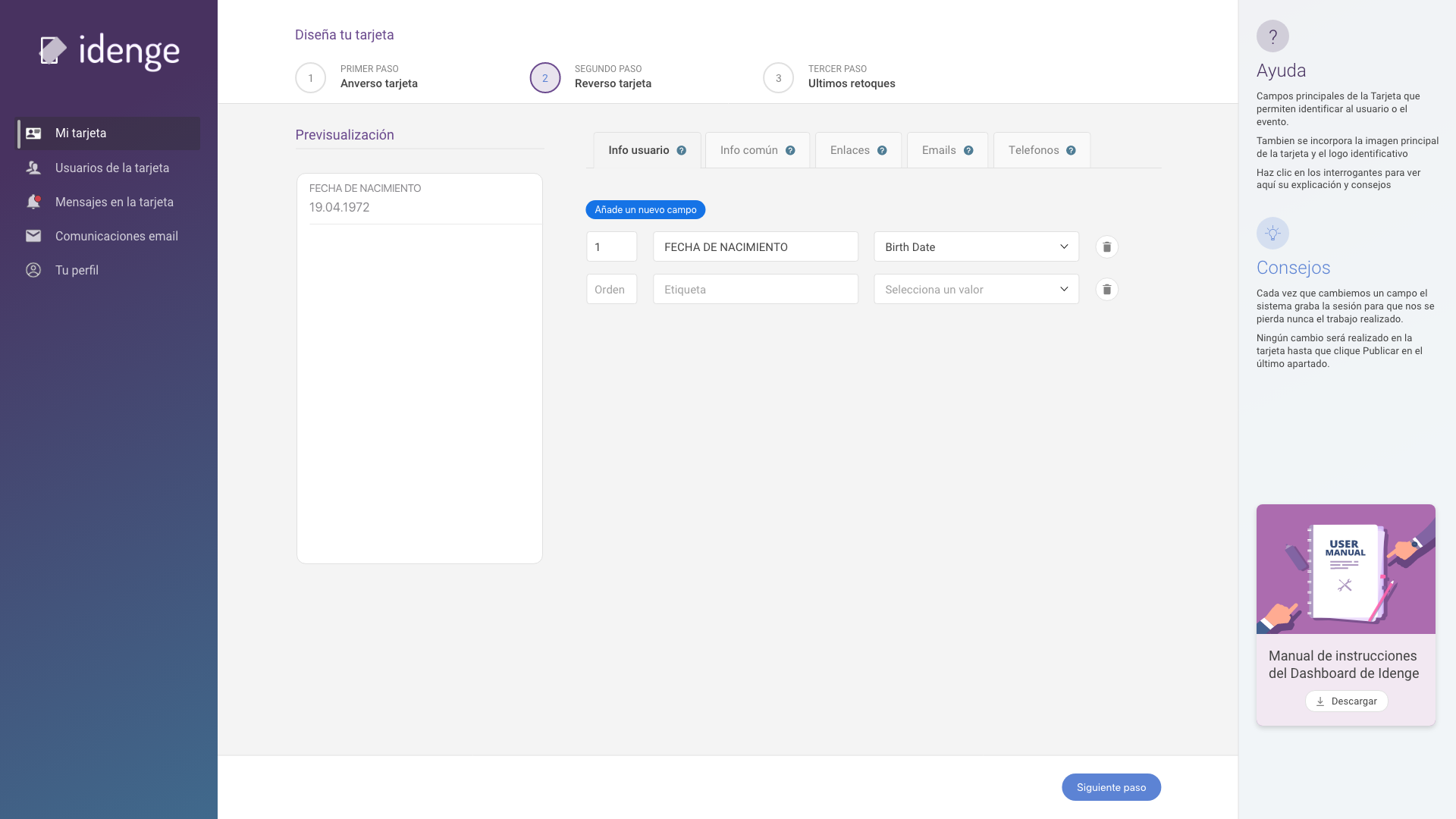
Add personalized user information, global for everyone and the links on the back of the card
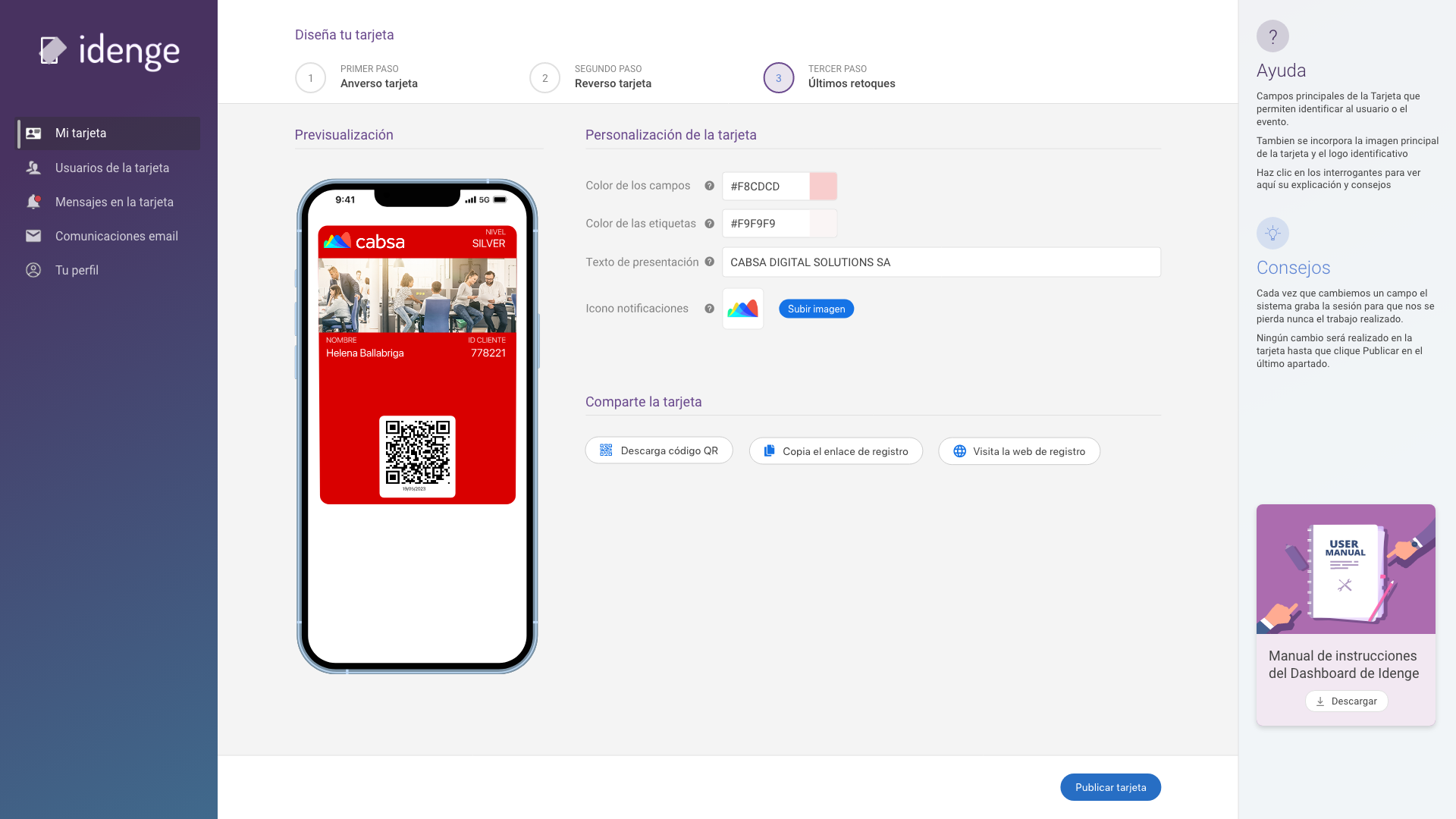
Make the most of the most of the most recent updates and publish your card
COMO FUNCIONA
Connect your users
Aquí explicamos la sección usuarios del Dashboard: Añadir clientes y campos
Aquí explicamos qué es la API y un link al API DOC
1
Send a link for the users themselves to register or add them yourself manually or in bulk using Excel
2
The card or pass can be public (any user can register) or private (only users registered in your account)
3
By email or taking a photo to a QR. Users will only have to enter their email address to install it on iOS or Android
Choose your notifications

It offers offers and promotions in real time and provides detailed instructions instantly. It increases customer satisfaction and encourages customer loyalty.
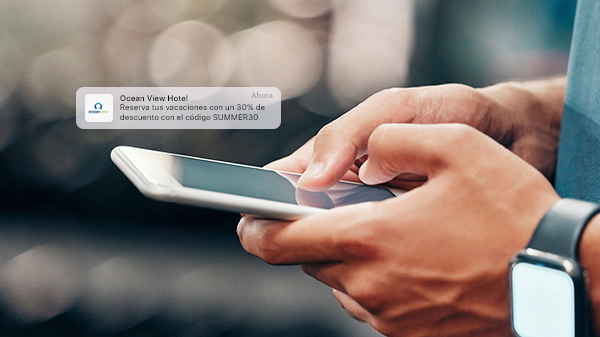
Improve communication with your customers by sending promotions or reminders whenever you want to their mobile. You will receive them even with a locked screen.